Short answer: egress fees are what a cloud provider charges you when data leaves its network, for example when visitors download your files or you move data to another cloud. Sending data in (ingress) is usually free. On AWS, sending data to the internet costs about $0.09 per GB after the first 100 GB a month, and smaller charges apply when data moves between zones, regions and NAT gateways. A CDN, smarter architecture or a provider with free or included egress can cut the bill sharply.
Most people choose a cloud provider by comparing server and storage prices. Then the first real bill arrives with a line called “data transfer”, and it is bigger than expected. That line is egress: the cost of moving your own data out.
This guide explains egress fees in plain English: what counts as egress, how much the main providers charge, the hidden transfer charges that catch small teams out, and the practical ways to reduce them. Every price below was checked against the provider’s own pricing page or documentation in November 2026.
Key takeaways
- Egress means data going out. Data coming in (ingress) is free on AWS, Azure and Google Cloud.
- The big three charge roughly $0.09 to $0.12 per GB for internet egress after a small free allowance. AWS and Azure each include 100 GB a month free.
- Hidden transfer charges add up. On AWS, traffic between Availability Zones costs $0.01 per GB in each direction, and a NAT gateway adds $0.045 per GB processed.
- Some providers include far more. Oracle Cloud includes 10 TB a month, Cloudflare R2 charges no egress at all, and Backblaze B2 is free up to three times the data you store.
- A CDN is usually the quickest win. Amazon CloudFront includes 1 TB a month free, and transfer from AWS origins to CloudFront is free.
- Leaving is cheaper than it used to be. AWS, Google Cloud and Azure waive egress for customers who move out, and the EU Data Act bans switching charges from 12 January 2027.
What are egress fees?
Egress fees (also called data transfer out or bandwidth charges) are per-gigabyte charges for data that leaves a cloud provider’s network or crosses certain boundaries inside it. Think of the cloud like a building with a free entrance and a toll on the way out.
Not all egress is the same. Providers price four main types differently:
| Type of transfer | Example | Typically charged? |
|---|---|---|
| Internet egress | A visitor downloads an image or video from your app | Yes, the biggest charge for most businesses |
| Inter-region transfer | Copying backups from a US region to a European region | Yes, usually less than internet egress |
| Cross-zone transfer | Your app server in one Availability Zone talks to a database in another | Often, and easy to miss |
| Ingress | Uploading files into the cloud | Usually free |
If you are new to how cloud services are layered, our guide to IaaS vs PaaS vs SaaS explains where your own responsibility, and your own bill, begins.
Why do cloud providers charge egress fees?
There are two sides to this. Providers point out that moving data across networks and the internet has a real cost: bandwidth, peering and network equipment. Critics argue that charging to take data out, while letting it in for free, makes it expensive to switch providers or use more than one cloud.
Regulators have taken the second concern seriously. The UK Competition and Markets Authority’s cloud market investigation, which closed in July 2025, found that data egress fees and interoperability barriers were limiting customer choice. In March 2026 the CMA accepted voluntary commitments from AWS and Microsoft to lower egress fees and improve interoperability for UK customers. In the EU, the Data Act goes further, as explained below.
Egress fees compared: AWS, Azure, Google Cloud and others
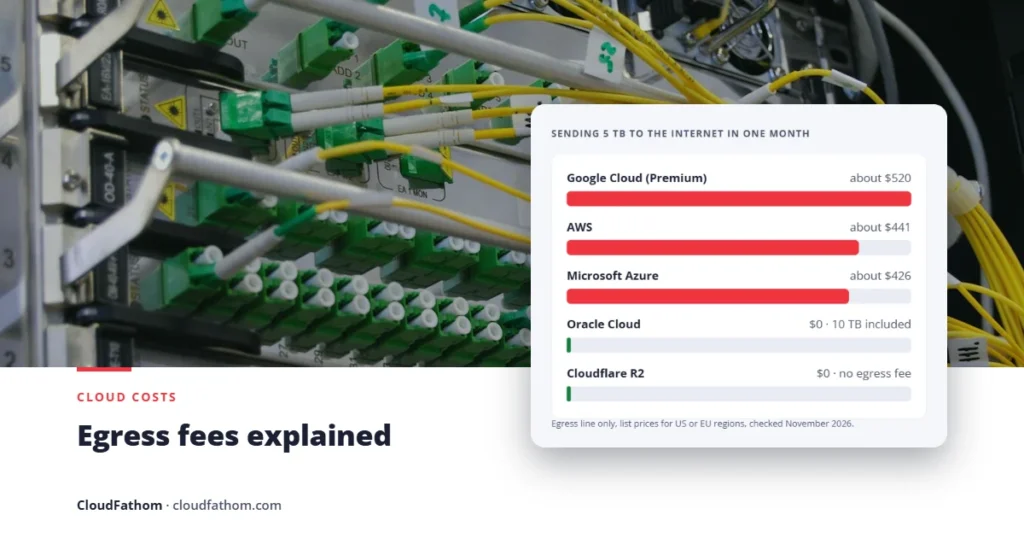
The table shows published list prices for sending data from a server or storage service to the internet, from US or European regions. The last column estimates the egress line alone for 5,000 GB (about 5 TB) in a month.
| Provider | Free or included each month | Price after that | 5 TB a month (egress only) |
|---|---|---|---|
| AWS | 100 GB (shared across services) | $0.09/GB for the first 10 TB, lower at higher volumes | About $441 |
| Microsoft Azure | 100 GB | $0.087/GB for the next 10 TB (Microsoft network routing) | About $426 |
| Google Cloud (Premium Tier) | Small | From $0.12 per GiB for the first TiB, then $0.11 (e.g. North America to Europe) | About $520 |
| Oracle Cloud | First 10 TB | Low per-GB rate | $0 |
| Cloudflare R2 | All egress | No egress charge (storage $0.015/GB a month) | $0 |
| Backblaze B2 | Up to 3 times your stored data | $0.01/GB | $0 if you store at least about 1.7 TB |
| DigitalOcean | 500 GiB to 11,000 GiB per Droplet, pooled | $0.01/GiB | Often $0 to a few dollars |
| Akamai Cloud (Linode) | 1 TB to 20 TB per plan, pooled | $0.005/GB in core regions | Often $0 |
| Hetzner (EU servers) | 20 TB per server | About €1 per TB | $0 |
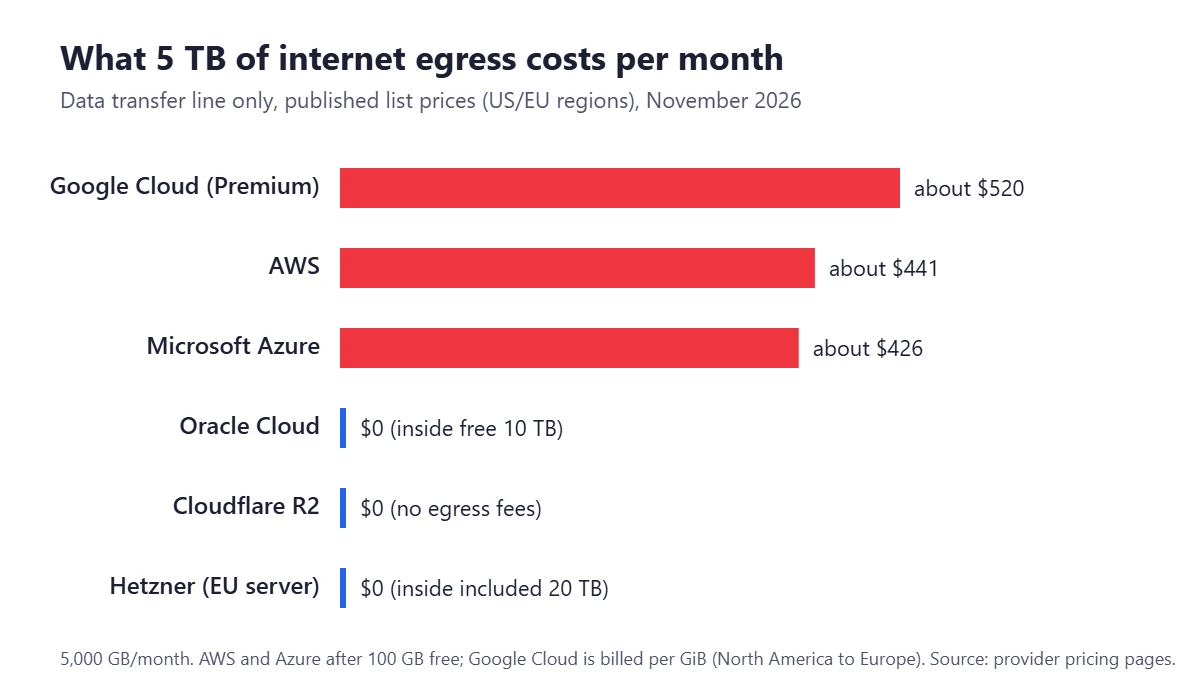
Two things stand out. First, the three biggest providers charge broadly similar rates, so switching between them rarely fixes an egress problem by itself. Second, the providers that include large allowances or charge nothing tend to be simpler platforms or storage specialists. Our comparison of AWS alternatives looks at what else you gain and lose with each one.
The hidden transfer charges most teams miss
Internet egress is the visible part. On AWS, three other charges often add up to as much again, especially in setups built for high availability:
- Cross-Availability-Zone traffic: $0.01 per GB in each direction. If your app server sits in one zone and your database in another, every gigabyte between them is billed when it leaves one zone and again when it arrives in the other.
- NAT gateway processing: $0.045 per GB, plus $0.045 per hour per gateway. Servers in private subnets usually reach the internet, and often AWS services such as S3, through a NAT gateway. The processing charge is added on top of any normal transfer charge.
- Inter-region transfer. Replicating data or backups to another region is billed per GB, typically around $0.02 between US regions and more between continents.
None of these charges is unreasonable on its own. The problem is that they are spread across different lines of the bill, so they are easy to overlook until they are large. Our cloud cost optimisation guide covers how to spot them in your billing reports.
A worked example: a small SaaS app on AWS
Here is a simple, realistic month for a small web app in a US region, using AWS list prices:
| What happens | Volume | Calculation | Cost |
|---|---|---|---|
| Users download pages, images and files | 3,000 GB | (3,000 − 100 free) × $0.09 | $261.00 |
| App servers and database in different zones | 2,000 GB | 2,000 × $0.01 × 2 directions | $40.00 |
| Traffic through one NAT gateway | 500 GB | 500 × $0.045 | $22.50 |
| NAT gateway running all month | 730 hours | 730 × $0.045 | $32.85 |
| Total data transfer | $356.35 |
Now apply two common fixes. Serve user downloads through Amazon CloudFront: transfer from AWS origins to CloudFront is free, the first 1 TB a month from CloudFront is free, and the rest costs about $0.085 per GB in North America and Europe, so the 3,000 GB costs about $170 instead of $261. Then add a free S3 gateway endpoint so that, say, 400 GB of S3 traffic no longer passes through the NAT gateway, saving about $18. The data transfer bill falls to roughly $247, about 30% less, without changing provider. (CloudFront also charges per request beyond its free 10 million a month, so check your request volume.)
How to reduce egress fees
- Put a CDN in front of public content. A content delivery network caches images, video and downloads close to users, so far less data leaves your servers. Most CDNs also charge less per GB than direct egress.
- Keep chatty services in the same zone. Place app servers and the databases or caches they talk to most in the same Availability Zone where your resilience needs allow, and keep a replica elsewhere for failover.
- Use free gateway endpoints for S3 and DynamoDB. AWS charges nothing for gateway endpoints, which take that traffic out of the NAT gateway path and its per-GB fee.
- Compress and cache. Turn on compression for text and API responses, resize images and set sensible cache headers. Smaller and fewer responses mean less egress.
- Process data where it lives. Run reports and analytics in the same region as the data, and send out only the results.
- Choose storage with low or no egress for download-heavy files. Media libraries, software downloads and backups that are read often can cost far less on Cloudflare R2, Backblaze B2 or Oracle Cloud.
- On Google Cloud, consider Standard Tier networking. It routes traffic over the public internet sooner and costs less than the default Premium Tier, at the cost of some latency.
- Set billing alerts on data transfer. A budget alert catches a runaway download or a misconfigured backup before it becomes a large bill.
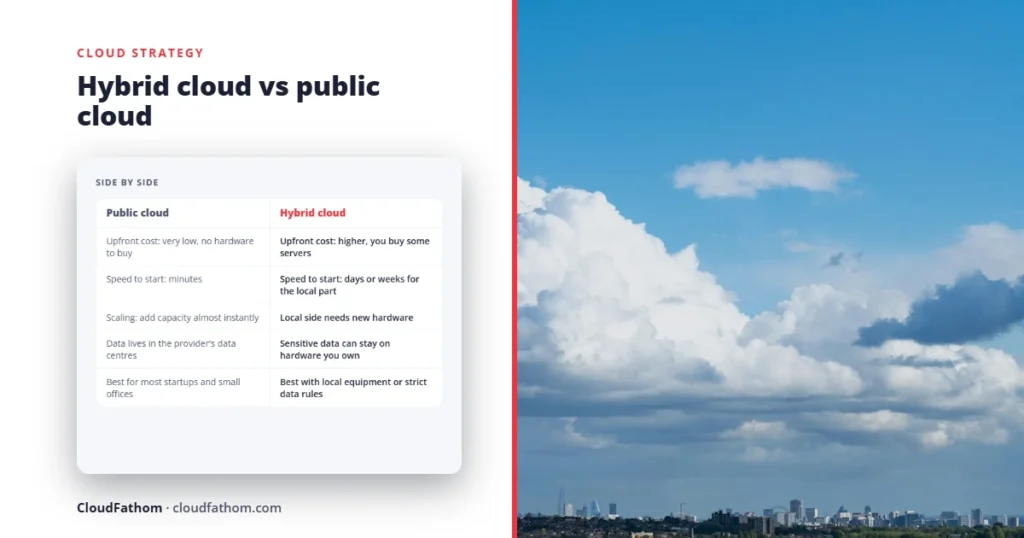
If you are still deciding where a workload should run, include egress in the comparison from the start. Our Cloud vs On-Premise Cost Calculator lets you compare total costs, and our guide to hybrid cloud vs public cloud explains when keeping some data on your own hardware makes sense.
Egress fees when you leave a cloud provider
Moving all your data out used to mean one very large egress bill. That has changed:
- Google Cloud announced free data transfer for customers leaving in January 2024.
- AWS followed in March 2024. You request the waiver through AWS Support and then have 60 days to complete the move.
- Microsoft Azure also offers free egress for customers moving their data out of Azure to another provider or their own data centre.
- The EU Data Act limits switching charges to the provider’s direct costs until 12 January 2027, and bans them, including egress for the switch, from that date. The ban covers the switching process, not everyday data transfer.
These waivers make switching possible, but they do not make it free: planning, rebuilding and testing still take time. Our 90-day cloud migration plan for small businesses walks through a migration step by step.
Common mistakes to avoid
- Comparing storage prices only. Cheap storage with expensive egress can cost more than pricier storage with free downloads.
- Assuming “in the cloud” means “free to move around”. Traffic between zones and regions is often billed, even inside one provider.
- Routing everything through a NAT gateway. It is convenient, but every gigabyte is charged, including traffic to AWS’s own services.
- Forgetting backups and replication. Copying data to another region every night is egress too.
- Ignoring the free allowances. AWS’s 100 GB, CloudFront’s 1 TB and Oracle’s 10 TB make a real difference to small workloads.
Frequently asked questions
What are egress fees in simple terms?
They are charges for moving data out of a cloud provider’s network, such as when users download files from your app or you copy data to another cloud. Moving data in is usually free.
Are egress fees and data transfer fees the same thing?
Mostly, yes. Providers usually list egress under “data transfer” or “bandwidth”. Data transfer can also include charges between zones and regions inside the same provider.
How much are AWS egress fees?
AWS charges about $0.09 per GB for data sent to the internet from most US and European regions, after 100 GB free each month across your account. The rate falls in steps above 10 TB a month.
How much are Azure egress fees?
Azure includes the first 100 GB a month free, then charges $0.087 per GB for the next 10 TB from North American and European regions when traffic is routed over Microsoft’s network.
Which cloud storage has no egress fees?
Cloudflare R2 charges no egress fees. Backblaze B2 is free up to three times the data you store, and Oracle Cloud includes the first 10 TB a month of outbound transfer.
Can I avoid egress fees completely?
Rarely, if you serve data to users from one of the big three providers. But a CDN, careful architecture and the right storage choice can reduce them to a small part of your bill.
Do I pay egress fees to leave AWS, Azure or Google Cloud?
Not for the data move itself, if you use the providers’ exit waivers. AWS requires a request through AWS Support. In the EU, switching charges are banned from 12 January 2027.
Sources
- AWS: Amazon EC2 On-Demand pricing (data transfer)
- AWS News Blog: Free tier data transfer expansion (100 GB and 1 TB CloudFront)
- AWS: Amazon CloudFront pricing
- AWS: Gateway endpoints documentation
- AWS News Blog: Free data transfer out when moving out of AWS
- Microsoft Azure: Bandwidth pricing
- Google Cloud: Premium Tier internet egress pricing changes
- Oracle: Cloud networking pricing
- Cloudflare: R2 object storage
- Backblaze: B2 Cloud Storage pricing
- UK CMA: Actions on business software and cloud services (March 2026)
- European Commission: The Data Act