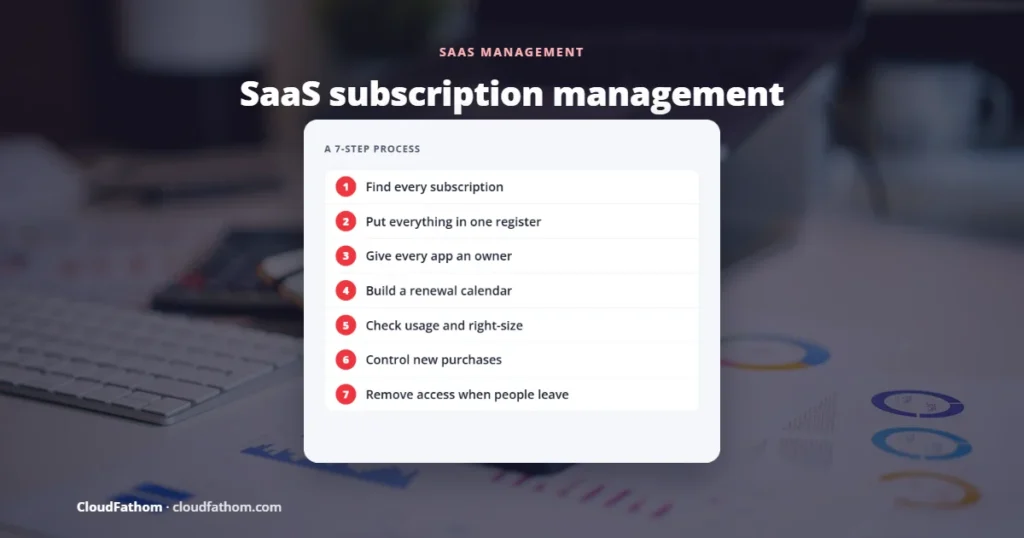
Short answer: SaaS subscription management is the process of tracking every cloud software subscription your business pays for: who owns it, who uses it, what it costs and when it renews. Done well, it stops you paying for unused seats and forgotten tools, avoids surprise auto-renewals, and makes sure former employees lose access. Most small businesses can start with a simple register and a renewal calendar, and move to a dedicated SaaS management platform once the number of apps outgrows a spreadsheet.
Software subscriptions are easy to start and easy to forget. A team signs up for a tool on a company card, the trial turns into a paid plan, the person who bought it leaves, and the subscription keeps renewing every year. Multiply that by dozens of apps and the waste, and the security risk, adds up quickly.
This guide explains what SaaS subscription management is, why it matters, and how to set it up step by step, from finding every subscription to cancelling the ones you do not need. It is written for small and mid-sized businesses that buy SaaS tools, not for software companies that sell them.
Selling SaaS rather than buying it? The same phrase is also used for the billing systems that SaaS companies use to charge their own customers. If that is what you need, read our guide to how real-time billing works in vertical SaaS instead.
Key takeaways
- Start with a list. You cannot manage subscriptions you cannot see. Finance records, single sign-on logs and team check-ins together reveal most of them.
- Give every app an owner. One named person decides whether it stays, how many seats it needs and whether it renews.
- Renewals are where the money is. Diarise every renewal date and notice period so you can cancel, downgrade or negotiate in time.
- Unused seats are common. Check usage before each renewal and remove licences nobody logs in to.
- It is a security job too. Removing a leaver from every app is as important as cancelling a subscription.
What is SaaS subscription management?
SaaS subscription management covers the whole life of every cloud application your business pays for:
- Buying: who can sign up for a new tool, and how it gets approved.
- Tracking: keeping one up-to-date list of every subscription, its cost, owner and renewal date.
- Using: making sure the seats you pay for are actually used, and on the right plan.
- Renewing or cancelling: deciding in good time whether to keep, downgrade, renegotiate or cancel.
- Removing access: taking people out of apps when they change role or leave, and recovering their licences.
You will also see the term SaaS management, and the software built for it is usually called a SaaS management platform (SMP). Gartner’s definition of an SMP centres on a central console for discovering, managing, automating, optimising, governing and enabling the SaaS apps employees use. In plain English: one place to see and control all your apps.
Why it matters: cost, renewals and security
The scale of the problem is easiest to see in large organisations. Zylo, a SaaS management vendor, publishes an annual benchmark from its customer data. Its 2026 SaaS Management Index reports that:
- The average organisation manages 305 SaaS applications and handles 211 renewals a year.
- Total SaaS spend rose 8% year on year, even though the number of apps stayed flat, so the same tools are costing more.
- Only 54% of provisioned licences were being used in 2025, up from 47% the year before.
- Spending on AI-native apps grew 108%, and spend that came in through employee expense claims rather than procurement grew 267%.
These figures come from a vendor that sells SaaS management software, and its customers are mostly larger companies, so treat them as a sign of the pattern rather than a prediction for your business. But the pattern holds at any size: subscriptions creep up, seats go unused, and new AI tools arrive on personal or team cards without anyone reviewing them.
The security side is just as important. Every subscription is another login holding company data. If nobody owns an app, nobody removes a former employee’s account, reviews its sharing settings or checks what data it can reach. That is why SaaS management sits alongside good IT governance and technology risk management, not just finance.
When you review a tool’s security, it also helps to know whether your data sits in a shared system or a dedicated one. Our guide to multi-tenant vs single-tenant lists the questions to ask vendors.
How to manage SaaS subscriptions: a 7-step process
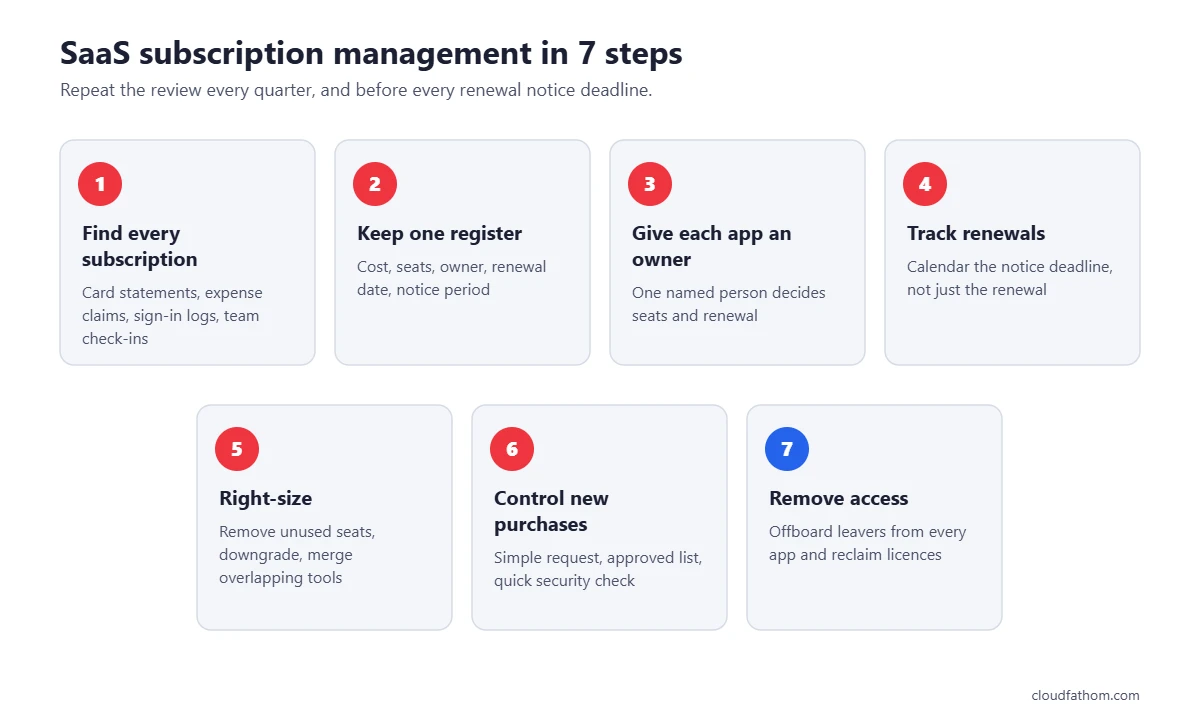
Step 1: Find every subscription
Most businesses find more apps than they expected. Look in several places, because each one catches different tools:
- Accounting and card statements: search the last 12 months for recurring software charges, including small monthly ones and annual payments that only appear once a year.
- Expense claims: look for software bought on personal cards and claimed back.
- Your identity provider: if staff sign in with Google or Microsoft accounts, those systems can show which outside apps have been connected. In Google Workspace, administrators can see this under API controls in the Admin console, in the list of accessed apps. Microsoft’s Defender for Cloud Apps includes a Cloud Discovery feature that finds cloud apps from network traffic.
- Ask each team: a short form asking “what tools do you pay for or log in to?” often finds free tools holding company data that never show up in the accounts.
Step 2: Put everything in one register
Create a single list, even if it is just a shared spreadsheet to begin with. For each app, record:
| Field | Why it matters |
|---|---|
| App name and what it is used for | Spots duplicate tools doing the same job |
| Owner (a named person) | Someone is accountable for cost, seats and renewal |
| Plan, number of seats and cost | Shows where the money goes |
| Billing frequency and payment method | Monthly card charges are the easiest to lose track of |
| Renewal date and notice period | Tells you the last day you can cancel or change terms |
| Seats actually in use | Reveals licences you can remove |
| Type of data stored | Highlights apps that need closer security review |
| Sign-in method (SSO or password) | Shows which apps are harder to remove leavers from |
Step 3: Give every app an owner
Each subscription needs one person who understands why it exists. The owner approves new seats, checks usage before renewal and decides whether it stays. Apps that nobody will claim are often the first candidates for cancellation.
Step 4: Build a renewal calendar
Put every renewal date in a shared calendar, together with the notice deadline from the contract. Many business contracts renew automatically unless you give notice before a set date, so the deadline to act can be weeks before the renewal itself. Set a reminder well before that deadline so the owner has time to review usage, compare alternatives and negotiate.
Annual renewals are also the best moment to ask for a better price, a smaller plan or more flexible terms. Price rises often take effect at renewal; for example, Microsoft raised several Microsoft 365 business prices from 1 July 2026, with existing customers paying the new price from their next renewal.
Step 5: Check usage and right-size
Before each renewal, compare the seats you pay for with the people who actually log in. Most SaaS admin consoles show last-login dates. Then:
- Remove or reassign licences that have not been used for a set period, such as 60 or 90 days.
- Move occasional users to a cheaper tier if the vendor offers one.
- Merge overlapping tools. Two project management apps or three file-sharing services usually means one can go.
- Switch from monthly to annual billing only for tools you are confident you will keep, because annual plans are harder to cancel.
If cloud infrastructure costs are also growing, the same habits apply there. See our guide to cloud cost optimisation for the infrastructure side.
Step 6: Control new purchases
You do not need heavy procurement rules, but you do need a simple path. A short request form, a list of already-approved tools and a rule that new apps with company data get a quick security check will stop most duplicate and risky purchases. This matters even more for AI tools, where staff may paste customer or business data into a free account without realising where it goes.
Step 7: Remove access when people leave
Offboarding is where subscription management and security meet. When someone leaves, remove them from every app on the register, transfer ownership of their files and reclaim the licence. Using single sign-on for as many apps as possible makes this far easier, because disabling one account cuts access everywhere at once. Our zero trust setup guide and cloud security checklist cover the access controls behind this.
Spreadsheet or SaaS management platform?
A spreadsheet and a calendar are enough to start, and many small businesses never need more. A dedicated platform starts to pay off when:
- You have more apps than one person can realistically review each quarter.
- New tools keep appearing that nobody knew about.
- Offboarding is slow or leavers are sometimes missed.
- You want usage data pulled in automatically instead of checking each admin console by hand.
SaaS management platforms connect to your finance systems, identity provider and the apps themselves to discover subscriptions, track usage, remind you about renewals and automate onboarding and offboarding. Well-known names include Zylo, Torii, Zluri and 1Password SaaS Manager, which grew out of Trelica after 1Password acquired it in January 2025. Prices and target company sizes vary widely, so ask each vendor for a quote and a trial on your own data.
One warning from 2026: Productiv, a well-known SaaS management platform, told customers on 2 August 2026 that it was shutting down on 6 August, and account data was deleted once access ended. Whatever tool you use, export your register regularly so your records never depend on a single vendor staying in business.
Simple numbers to track
You do not need a complex dashboard. These five numbers, checked monthly or quarterly, tell you whether things are under control:
| Metric | What it tells you |
|---|---|
| Total monthly SaaS spend | Whether costs are creeping up |
| SaaS spend per employee | A fair way to compare as the team grows |
| Share of paid seats used in the last 30 days | How much you could save by right-sizing |
| Renewals due in the next 90 days | What needs a decision soon |
| Apps without a named owner | Where risk and waste are most likely |
Common mistakes to avoid
- Tracking only what finance pays for. Free tools and expensed apps can hold just as much company data.
- Missing the notice period. Diarise the last day you can give notice, not just the renewal date. Once that day passes, many contracts simply roll over for another term.
- Cutting tools without asking the owner. Low usage can be seasonal. Check before you cancel.
- Forgetting offboarding. An unused seat costs money; an active account for a former employee is a security risk.
- Letting the register go stale. Book a short review every quarter, or it will be out of date within months.
If you are still choosing between subscription software and running your own systems, our comparison of SaaS vs on-premise explains the costs and risks of each.
Frequently asked questions
What is SaaS subscription management?
It is the process of tracking and controlling all the cloud software subscriptions a business pays for: what each one costs, who owns and uses it, and when it renews. The goal is to avoid paying for unused tools and seats, avoid unwanted renewals, and make sure access is removed when people leave.
What is the difference between a SaaS management platform and subscription billing software?
A SaaS management platform helps a business manage the apps it buys. Subscription billing software, such as Stripe Billing or Chargebee, helps a software company charge its own customers. The names sound similar, but they solve opposite problems.
How often should we review our SaaS subscriptions?
Review each app before its renewal notice deadline, and do a full check of the whole list at least once a quarter. Fast-growing teams, or teams adopting a lot of new AI tools, may need to check monthly.
Can a small business manage SaaS subscriptions with a spreadsheet?
Yes. A shared spreadsheet with an owner, cost, seat count and renewal date for every app, plus a renewal calendar, covers most of what a small business needs. Move to a dedicated platform when the list becomes too long to review by hand or discovery and offboarding start slipping.
What is shadow IT?
Shadow IT means apps and services that staff use for work without IT or management knowing about them. They are not always a problem, but they cannot be secured, offboarded or included in renewals if nobody knows they exist. Finance records and sign-in logs are the easiest ways to find them.
Sources
- Zylo: SaaS statistics from the 2026 SaaS Management Index
- Google Workspace Admin Help: Control which third-party and internal apps access Google Workspace data
- Microsoft Learn: Discover and manage shadow IT with Defender for Cloud Apps
- 1Password: 1Password acquires Trelica
- 1Password: Productiv shutdown
- Office Watch: Microsoft 365 price increases from July 2026