Short answer: AI crawlers are bots that AI companies send to read web pages. Some collect pages to train AI models, some build an index so AI assistants can search and cite your site, and some fetch a single page because a user asked about it. You control most of them with robots.txt, but each bot has its own name, so you can block training while still appearing in AI search answers.
Not every visit to your website comes from a person. Names like GPTBot, ClaudeBot and PerplexityBot belong to crawlers run by AI companies, and the access you give them decides whether your pages end up in AI training data, in AI search answers, or in neither.
This guide explains what AI crawlers are, lists the main ones and what each is used for, and shows how to allow or block them. Every crawler name and rule below comes from the operator’s own documentation. If you want to see which ones can reach your site right now, run our free AI Crawler Checker.
What are AI crawlers?
An AI crawler is an automated program that requests web pages on behalf of an AI company. It works much like Googlebot, but the pages it collects feed AI products instead of (or as well as) a classic search engine.
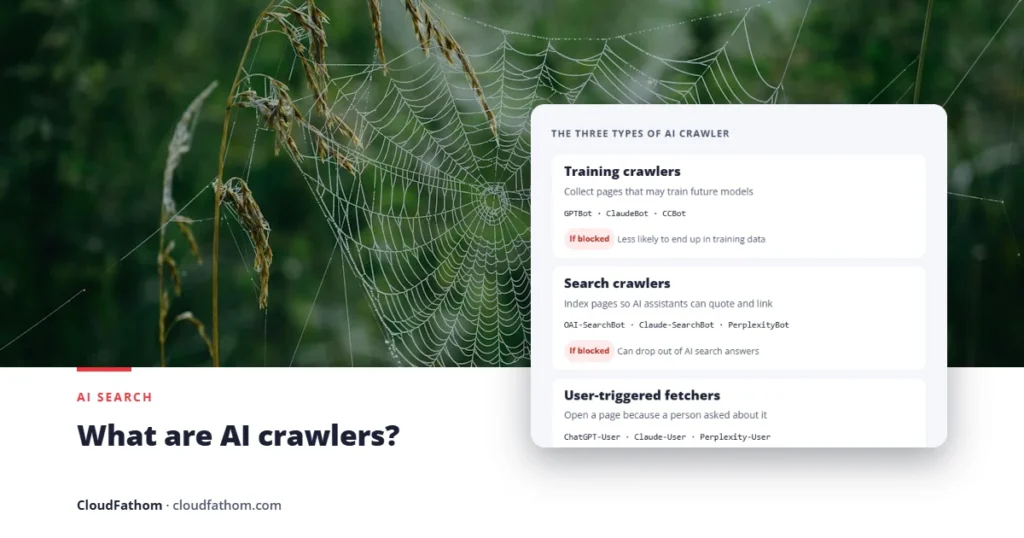
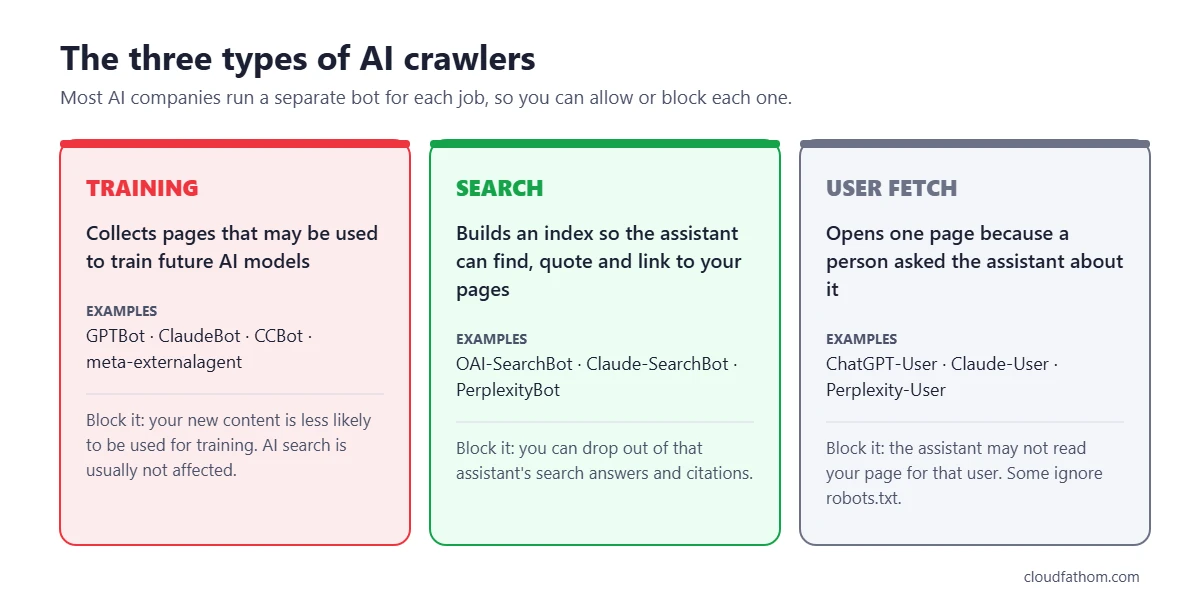
The most useful thing to understand is that “AI crawler” covers three different jobs. Most big AI companies now run a separate bot for each one:
| Type | What it does | Example | What blocking it means |
|---|---|---|---|
| Training crawler | Collects public pages that may be used to train future AI models | GPTBot, ClaudeBot, CCBot | Your future content is less likely to end up in training data |
| Search crawler | Builds an index so the AI assistant can find, quote and link to your pages | OAI-SearchBot, Claude-SearchBot, PerplexityBot | Your site can drop out of that assistant’s search answers and citations |
| User-triggered fetcher | Opens one page right now because a person asked the assistant about it | ChatGPT-User, Claude-User, Perplexity-User | The assistant may not be able to read your page for that user. Some of these ignore robots.txt |
There is also a fourth thing you will see in robots.txt guides: control tokens such as Google-Extended and Applebot-Extended. They are not crawlers at all. They never visit your site. They are names you can put in robots.txt to tell Google or Apple how content their normal crawler collected may be used for AI.
AI crawler list: who runs what
This table covers the crawlers most site owners care about. The robots.txt name is what you write after User-agent:. The last column is what each company says in its own documentation, not a guess about how the bot behaves in practice.
| Company | robots.txt name | Job | What the company says about robots.txt |
|---|---|---|---|
| OpenAI | GPTBot | Training | Respects it |
| OpenAI | OAI-SearchBot | ChatGPT search | Respects it. Sites that block it are not shown in ChatGPT search answers (they can still appear as plain navigation links) |
| OpenAI | ChatGPT-User | User-triggered | Rules “may not apply” because a user started the request |
| Anthropic | ClaudeBot | Training | Respects it (also supports Crawl-delay) |
| Anthropic | Claude-SearchBot | Claude search | Respects it |
| Anthropic | Claude-User | User-triggered | Respects it; blocking it stops Claude fetching your pages for users |
| Perplexity | PerplexityBot | Perplexity search (not used for model training) | Respects it |
| Perplexity | Perplexity-User | User-triggered | Generally ignores it, because a user started the request |
| Google-Extended | Control token: Gemini training and grounding | Not a crawler. Does not affect Google Search or AI Overviews | |
| Googlebot | Google Search, including AI Overviews and AI Mode | Respects it | |
| Apple | Applebot-Extended | Control token: Apple AI model training | Not a crawler. Blocking it does not remove you from Apple search features |
| Meta | meta-externalagent | AI training and indexing content for products | Respects it |
| Meta | meta-externalfetcher | User-triggered | May bypass it, because a user started the request |
| Amazon | Amazonbot | Product improvement; may be used to train Amazon AI models | Respects it |
| Amazon | Amzn-SearchBot | Search features such as Alexa (not used for AI training) | Respects it |
| Common Crawl | CCBot | Builds a free public web archive that many AI models are trained on | Respects it |
Two practical notes. First, robots.txt names are not case-sensitive, so GPTBot and gptbot match the same bot. Second, several companies say changes can take up to about 24 hours to be picked up, and Amazon says it may use a cached copy of your robots.txt from the last 30 days. Do not expect a new rule to work instantly.
Should you block AI crawlers?
There is no single right answer, but for most businesses the decision splits neatly along the three jobs above:
- Search crawlers: usually allow. OAI-SearchBot, Claude-SearchBot and PerplexityBot are how AI assistants find and cite your pages. Blocking them is like blocking Googlebot for a new search engine your customers already use.
- Training crawlers: your call. Blocking GPTBot, ClaudeBot, CCBot or meta-externalagent does not usually affect whether you appear in AI search answers today. It mainly signals that you do not want new content used to train future models. Many news publishers block them; businesses that want maximum brand exposure often allow them.
- User-triggered fetchers: usually allow. These only visit when a real person asks about your page. Blocking them mostly blocks your own potential customers, and some of them do not follow robots.txt anyway.
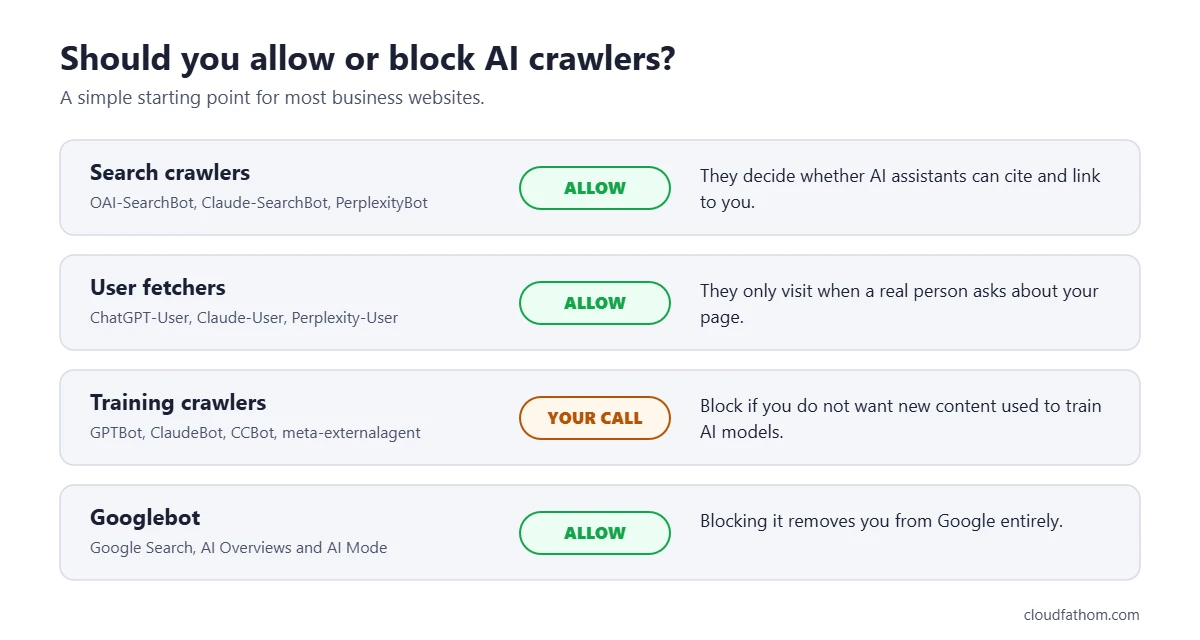
A common middle ground is: allow search and user fetchers, block training. The robots.txt example for that is below.
How to block AI crawlers with robots.txt
robots.txt is a plain text file at the root of your site, for example https://example.com/robots.txt. Each block starts with a User-agent: line naming a bot, followed by the paths it may or may not visit. A bot follows the most specific block that names it, so a block for GPTBot overrides your general User-agent: * rules for that bot.
Example 1: block AI training, keep AI search
# Block crawlers and tokens used for AI training
User-agent: GPTBot
User-agent: ClaudeBot
User-agent: CCBot
User-agent: meta-externalagent
User-agent: Google-Extended
User-agent: Applebot-Extended
Disallow: /

# Allow AI search crawlers
User-agent: OAI-SearchBot
User-agent: Claude-SearchBot
User-agent: PerplexityBot
Allow: /
Listing several User-agent lines above one set of rules is allowed by the robots.txt standard (RFC 9309) and saves repeating yourself. If you prefer, you can write a separate block for each bot instead; the result is the same.
Example 2: block all the main AI crawlers
User-agent: GPTBot
User-agent: OAI-SearchBot
User-agent: ChatGPT-User
User-agent: ClaudeBot
User-agent: Claude-SearchBot
User-agent: Claude-User
User-agent: PerplexityBot
User-agent: Perplexity-User
User-agent: meta-externalagent
User-agent: Amazonbot
User-agent: CCBot
User-agent: Google-Extended
User-agent: Applebot-Extended
Disallow: /
Be careful with this one. It removes you from AI search answers as well as training, and it still will not stop every user-triggered fetch.
Example 3: keep AI bots out of one folder only
User-agent: GPTBot
User-agent: ClaudeBot
Disallow: /members/
Disallow: /downloads/
Do not block Googlebot unless you want to disappear from Google entirely. AI Overviews and AI Mode are part of Google Search, so the only way to leave them through robots.txt would also remove you from normal results. See the next section for a better option.
How to check which AI crawlers can reach your site
A robots.txt rule is only half the picture. Firewalls, security plugins and CDNs such as Cloudflare can block AI bots before they ever read your robots.txt, sometimes without the site owner knowing. The reverse also happens: a site “allows” a bot in robots.txt, but the server returns an error page to it. Before you change your file, use our free robots.txt tester to check which rule each AI crawler actually follows.
Our free AI Crawler Checker checks both. It reads your robots.txt and sends a test request as each major AI crawler, then shows which ones are allowed, blocked by robots.txt, or blocked by the server. It is free and needs no signup.
What robots.txt cannot do
robots.txt asks crawlers to behave; it cannot force them to. The official standard, RFC 9309, says plainly that its rules “are not a form of access authorization”. Keep these limits in mind:
- It relies on good behaviour. Reputable crawlers follow it. Scrapers that hide their identity do not.
- User-triggered fetchers are a grey area. OpenAI, Perplexity and Meta all say their user-triggered agents may not follow robots.txt, because a person asked for the page.
- Bot names can be faked. Anyone can send a request that claims to be GPTBot. OpenAI, Perplexity, Amazon and Common Crawl publish the IP addresses their bots use, so you can check whether a visitor is genuine.
- It only works going forward. A new rule does not remove content that was collected before you added it.
- It is public. Anyone can read your robots.txt, so do not list private folders in it to “hide” them. Protect private content with a login.
Other ways to control AI access
Cloudflare and other CDNs
Since 1 July 2025, Cloudflare blocks known AI crawlers by default on newly added domains, and existing customers can turn blocking on or off in the dashboard. If your site uses Cloudflare and AI search engines never seem to cite you, check this setting first. It is an easy setting to overlook, because nothing on the site itself looks broken.
Google’s Search Console setting for AI Overviews
Because AI Overviews and AI Mode are part of Google Search, Google-Extended does not affect them. In June 2026 Google started testing a separate setting in Search Console, labelled “Search generative AI”, that lets a site opt out of AI Overviews, AI Mode and AI Overviews in Discover while staying in normal search results. It began with a group of UK site owners and has been rolling out more widely since. Google says sites that opt out will get no traffic or impressions from those AI features, so think carefully before using it.
Firewall and IP rules
For bots that ignore robots.txt, the next step is a firewall or security-plugin rule that blocks by user agent and, ideally, verifies the IP address. This is more work to maintain, and an overly broad rule can block legitimate crawlers too, so test it with a crawler checker afterwards.
Common mistakes to avoid
- Blocking Google-Extended to leave AI Overviews. It does not work. Google-Extended controls Gemini training and grounding, not Search.
- Blocking every AI bot by accident. A Cloudflare default, a security plugin or a copied robots.txt template can block AI search crawlers you actually want.
- Copying outdated bot lists. Older guides list names such as anthropic-ai or Claude-Web. Anthropic’s current documentation lists ClaudeBot, Claude-SearchBot and Claude-User, so use those, and check each company’s own page before you copy a list.
- Expecting an instant effect. Allow at least a day for crawlers to pick up a robots.txt change, and longer for Amazon.
- Forgetting subdomains. Each subdomain needs its own robots.txt. Rules on example.com do not cover blog.example.com.
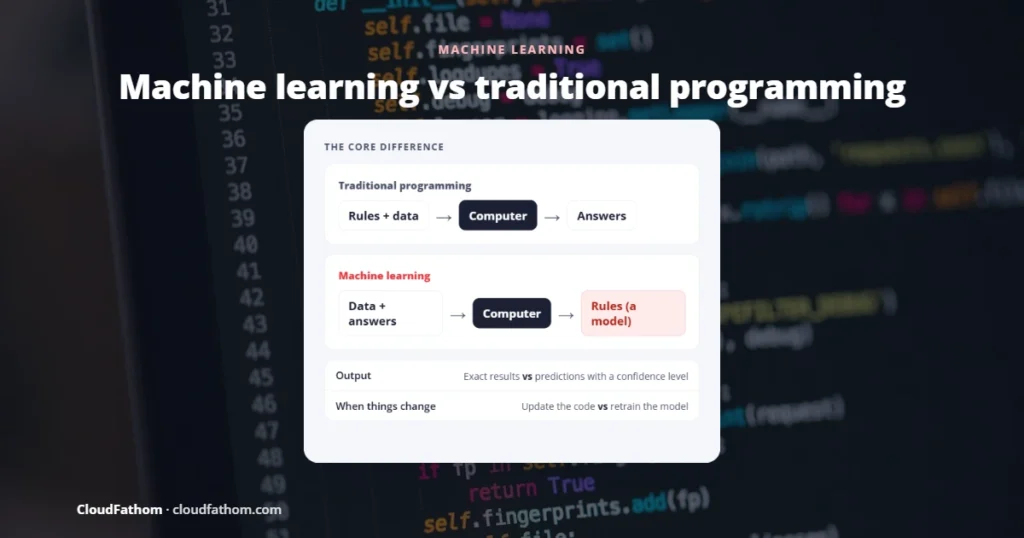
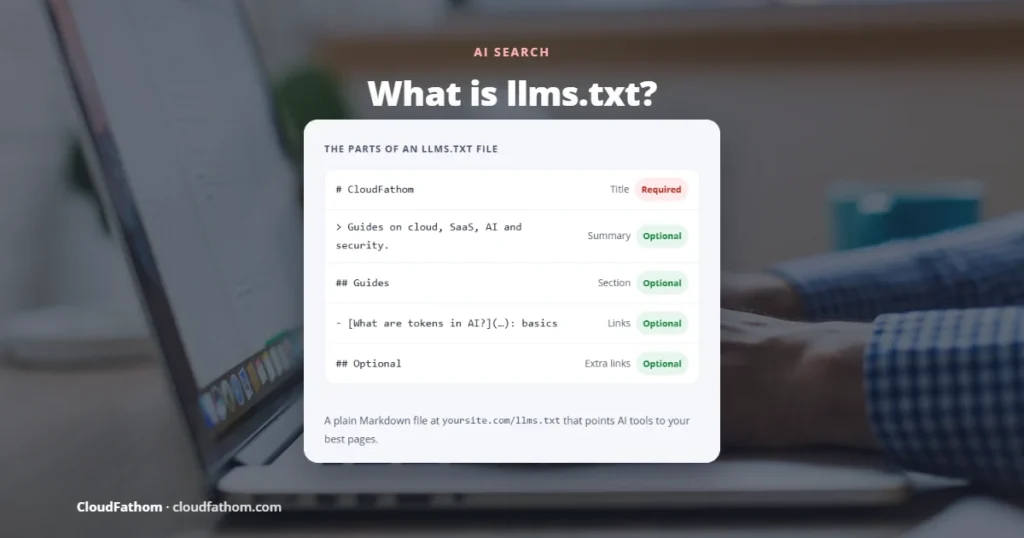
Related reading: to see how AI models actually learn from the pages training crawlers collect, read machine learning vs traditional programming. For the wider business picture, see AI and automation in business and AI cloud security essentials. Wondering about llms.txt? Our free llms.txt generator creates the file, and our guide to what llms.txt is explains honestly what it can and cannot do.
Frequently asked questions
What are AI crawlers used for?
They collect web pages for AI companies. Depending on the bot, the pages are used to train AI models, to build an index for AI search answers, or to read a single page because a user asked the assistant about it. Once a page is collected, models read it as small pieces of text called tokens. Our guide to what tokens are in AI explains how that works.
Do AI crawlers follow robots.txt?
The main training and search crawlers from OpenAI, Anthropic, Perplexity, Meta, Amazon and Common Crawl say they do. User-triggered fetchers are different: OpenAI, Perplexity and Meta say theirs may not follow robots.txt, because a person requested the page.
Will blocking GPTBot remove my site from ChatGPT?
No. GPTBot is OpenAI’s training crawler. ChatGPT search uses OAI-SearchBot, which has its own robots.txt rules. You can block GPTBot and still appear in ChatGPT search answers, as long as OAI-SearchBot is allowed.
Does blocking AI crawlers hurt my Google rankings?
Blocking AI-specific bots such as GPTBot, ClaudeBot or Google-Extended does not affect Google Search. Google says Google-Extended is not a ranking signal. Only blocking Googlebot itself affects Google Search.
How do I know if AI crawlers can access my site?
Check your robots.txt for rules that name AI bots, then check your CDN or firewall settings. The quickest way is to run our free AI Crawler Checker, which tests both in one go.
Sources
- OpenAI: Overview of OpenAI crawlers
- Anthropic: Does Anthropic crawl data from the web, and how can site owners block the crawler?
- Perplexity: Perplexity crawlers
- Google Search Central: Overview of Google crawlers (includes Google-Extended)
- Google: New opportunities, control and insights for website owners
- Apple: About Applebot
- Meta: Meta web crawlers
- Amazon: Amazonbot, Amzn-SearchBot and Amzn-User
- Common Crawl: CCBot
- IETF: RFC 9309, Robots Exclusion Protocol
- MIT Technology Review: Cloudflare will now block AI bots by default